What is comprehensible input?
Comprehensible input is language you can understand, even though some of it is new to you. The term comes from Stephen Krashen’s input hypothesis, set out in his book Principles and Practice in Second Language Acquisition (1982). His central claim reads: “We acquire, in other words, only when we understand language that contains structure that is ‘a little beyond’ where we are now.”
That raises an obvious question: how can you understand something you haven’t learned yet? Krashen’s answer was that we use more than our knowledge of the language. Context, what we already know about the world and what we can see happening all help us work out what is being said, and the new language comes along with the meaning.
He wrote this as i + 1: i is where you are now, and + 1 is the next step. Input far below your level teaches you nothing new. Input far above it is noise. The useful zone is the band just above what you can already handle.
Is the input hypothesis still accepted?
Partly, and the parts that survived matter most for learners. Krashen’s wider theory was heavily criticised in the decades after he published it. Looking back in 2021, Lichtman and VanPatten argued that his main ideas never really went away and are still driving research under new names. In particular, they describe a central role for communicatively embedded input, meaning language used to get a message across, in all current theories of how second languages are acquired.
Some of Krashen’s stronger claims remain debated. He argued, for example, that “speaking fluency cannot be taught directly” and instead “emerges” over time from input. Not every researcher or teacher goes that far, and many learners combine plenty of input with speaking practice. But the core point, that understanding a lot of real language is central to learning one, is about as close to common ground as this field gets.
How much of what you hear do you need to understand?
Most of it. Researchers measure this as lexical coverage: the share of words in a text that you know. Van Zeeland and Schmitt (2013) tested listening by swapping real words in spoken stories for made-up ones. Most listeners still understood the stories adequately when they knew 90% of the words, but scores among non-native listeners varied widely at that level. At 95%, the non-native listeners did relatively well and varied much less. The authors estimate that 95% coverage of everyday spoken English takes around 2,000 to 3,000 word families.
For fully unassisted comprehension the bar is higher. Working from a 98% coverage target, Nation (2006) estimated that spoken English takes a vocabulary of 6,000 to 7,000 word families.
These studies are about English, and other languages will differ in the details. The practical lesson carries over, though: input stays comprehensible only when nearly every word is familiar, or when you have a way to fill in the few that aren’t.
Where do you find comprehensible input?
Anywhere you can follow the message with a little effort. Common sources, roughly from easiest to hardest:
- Graded readers and learner podcasts, written or recorded for a particular level.
- Slowed-down or simplified audio, which keeps the content but lowers the speed.
- Native video with support: real speakers, with subtitles, translations or a transcript to fill the gaps.
- Native video and conversation without support, once you know enough of the words.
Interest matters as much as level. Krashen warned that input that is too familiar will be ignored, because “there must be some message, something that the student really wants to hear or read about.” A video on a subject you care about will hold your attention through difficulty that a textbook dialogue never would.
How do you make native video comprehensible?
Native video is the richest source of real language, but it is easy to end up watching it far above your level. These habits bring it back into range, whatever you watch it with:
- Pick familiar subjects. If you know what a cooking or travel video is about, context does much of the work for you.
- Start with slower speakers. People talking calmly to a camera are easier than fast group conversations. Turning the playback speed down helps too.
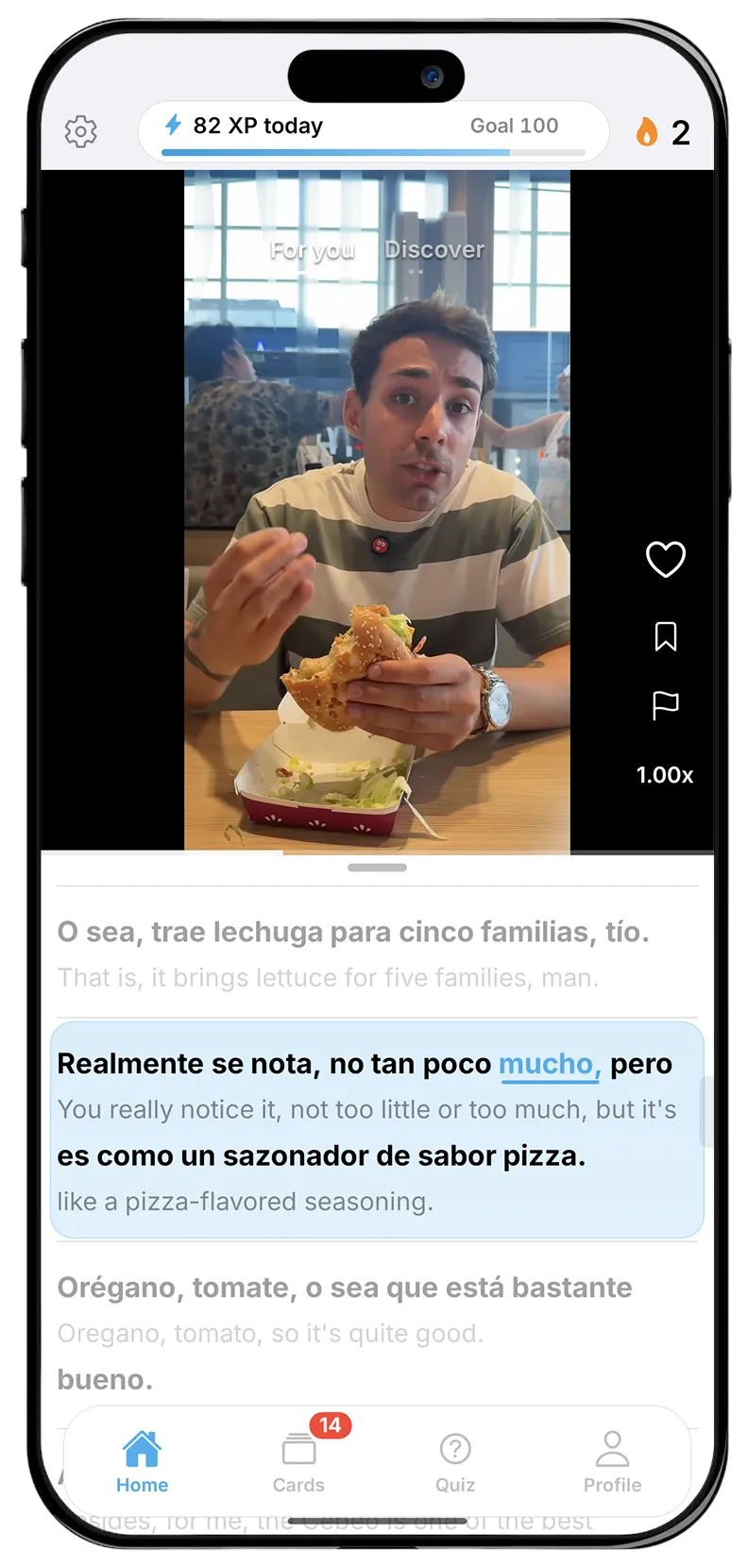
- Use both languages on screen. A transcript in the language you are learning, with a translation underneath, lets you check meaning without stopping. There is more on this in our page on dual-language subtitles.
- Look up words in the moment. Guessing works when context is clear and fails quietly when it isn’t. Our page on tap-to-translate covers the research on checking meanings as you go.
- Stay with related videos. Videos on the same subjects repeat the same words, so each one gets easier. The research on this is in native videos at your level.
- Rewatch. A second viewing of a short video is often where most of it clicks.
Watching does more than build listening. In a study of Dutch-speaking learners of English, Peters and Webb (2018) found that viewing a full-length TV programme led to learning new word meanings, and that words appearing more often, words similar to the learners’ own language, and learners who already knew more vocabulary all led to more learning.
Does comprehensible input mean you should never study?
No. Even in Krashen’s own formulation, understanding input is “a necessary (but not sufficient)” condition for moving to the next level. Input gives you the encounters; you still choose how much attention to pay to them. Saving the words you looked up and reviewing them later means words you met once in a video have a better chance of sticking. Our page on flashcards from videos covers the research on spacing and retrieval.
If you are past the beginner stage and feel stuck, our guide to the intermediate plateau looks at why progress slows down and what to do about it.
How Bingua fits in
Bingua is built around this idea. It is an iPhone app with an endless feed of real videos made by native speakers, in Spanish, French, German, Dutch, Italian or Portuguese. The feed matches your level, with slower-spoken videos for beginners and faster speech for advanced learners, and you can turn the speech speed down in settings. Every video has a transcript in both languages that scrolls in time with the speech. You can tap any word for its meaning in that sentence, and the words you save come back as flashcards. It is not a course: the videos are the input, and the flashcards help you keep what you find in them.